Type a few letters, get the whole thing, in every app on your Mac. TypeValet is a text expander, a clipboard restore engine that checks before it pastes, and AI transforms in one Mac app, on a reliability engine other expanders do not have. Bring your old library over in a click. Yours forever, no subscription.
To paste an expansion, most Mac expanders quietly put your text on the clipboard, press paste, then try to restore what was there. On a busy Mac, another app can write to the clipboard in that split second, and your copied text vanishes. TypeValet records the clipboard's exact state, and restores it only when nothing else has touched it. Anything it holds is also kept in your history, so a busy Mac cannot make it vanish either way.
Your clipboard is checked before it is put back. If another app wrote to it mid-paste, TypeValet keeps theirs and logs the moment, instead of overwriting it. This is the mechanism that exposes classic clipboard-swap expanders like aText to dropped text on a busy Mac.
When a password field or another app locks input, every expander goes silent, with no explanation. TypeValet notices, and names the app that is holding the lock in your menu bar, so you are never left wondering why nothing fired.
A snippet field can rewrite the tone, translate, or turn your clipboard into a reply using the interactive fields you already use. Bring your own key for Claude, GPT, Gemini, Perplexity, and more, or run a local model with no key; nothing is metered or routed through us. Offline, fields fall back to plain placeholders.
The typing command center, for about one year of a subscription expander, one time, then free every year after. Real captures below carry no tag, because what you see is the private build. Previews are labeled plainly and never dressed up as shipped.
A text expander and a clipboard manager, welded into a single engine, so a snippet you just typed and a screenshot you just copied never fight over the same clipboard slot.
Live today, build 64, used daily in production: 500 of 500 correct under realistic clipboard contention, zero clobbers under 200 times pathological load. Public v0.1 is live: download it free below.
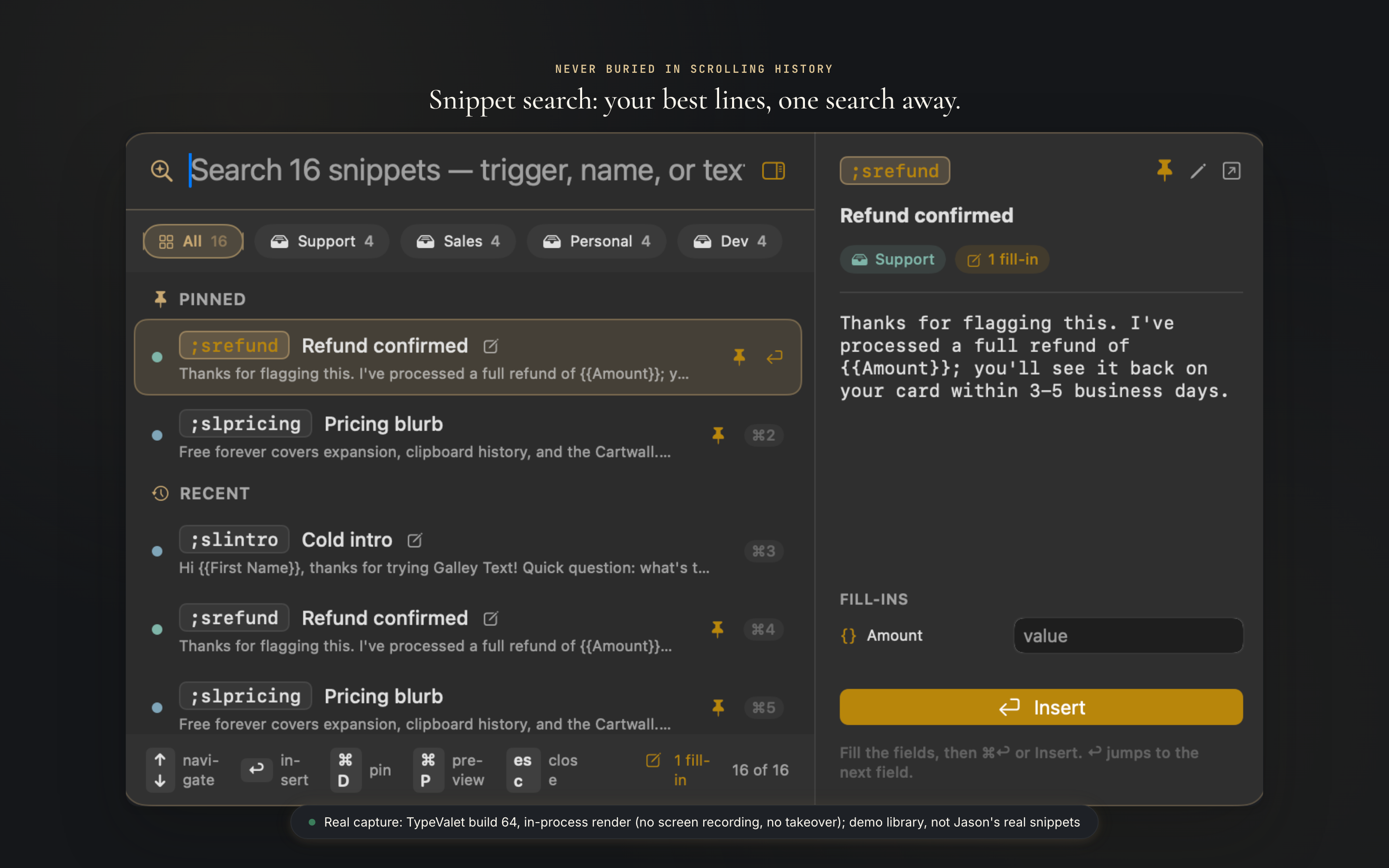
A named, always-visible shelf of your best lines, grouped and searchable, so nothing worth keeping gets buried in scrolling history.
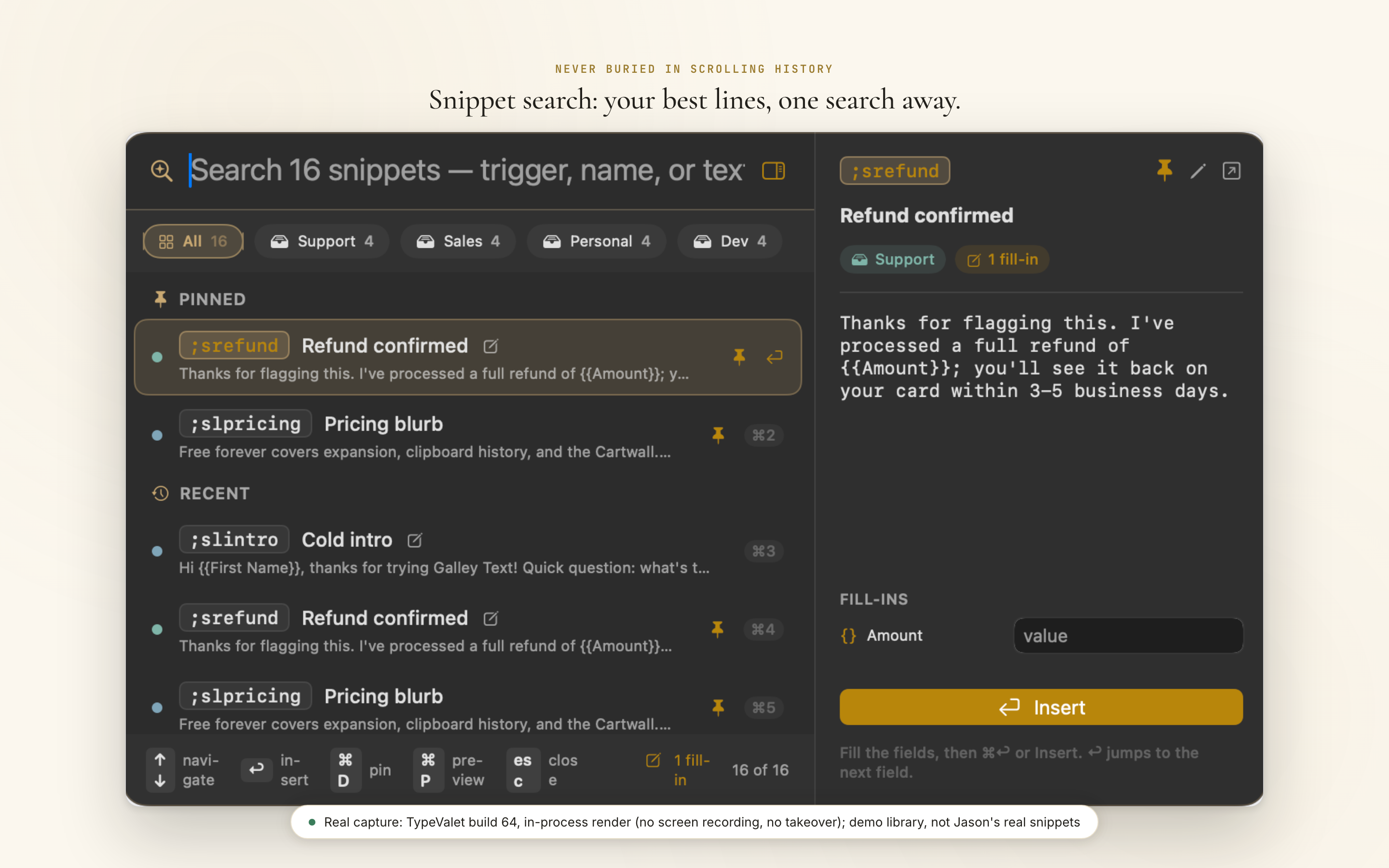
Live now (⌘⇧Space, build 8). The screen above is a real capture of build 64's own search panel, not a mockup.
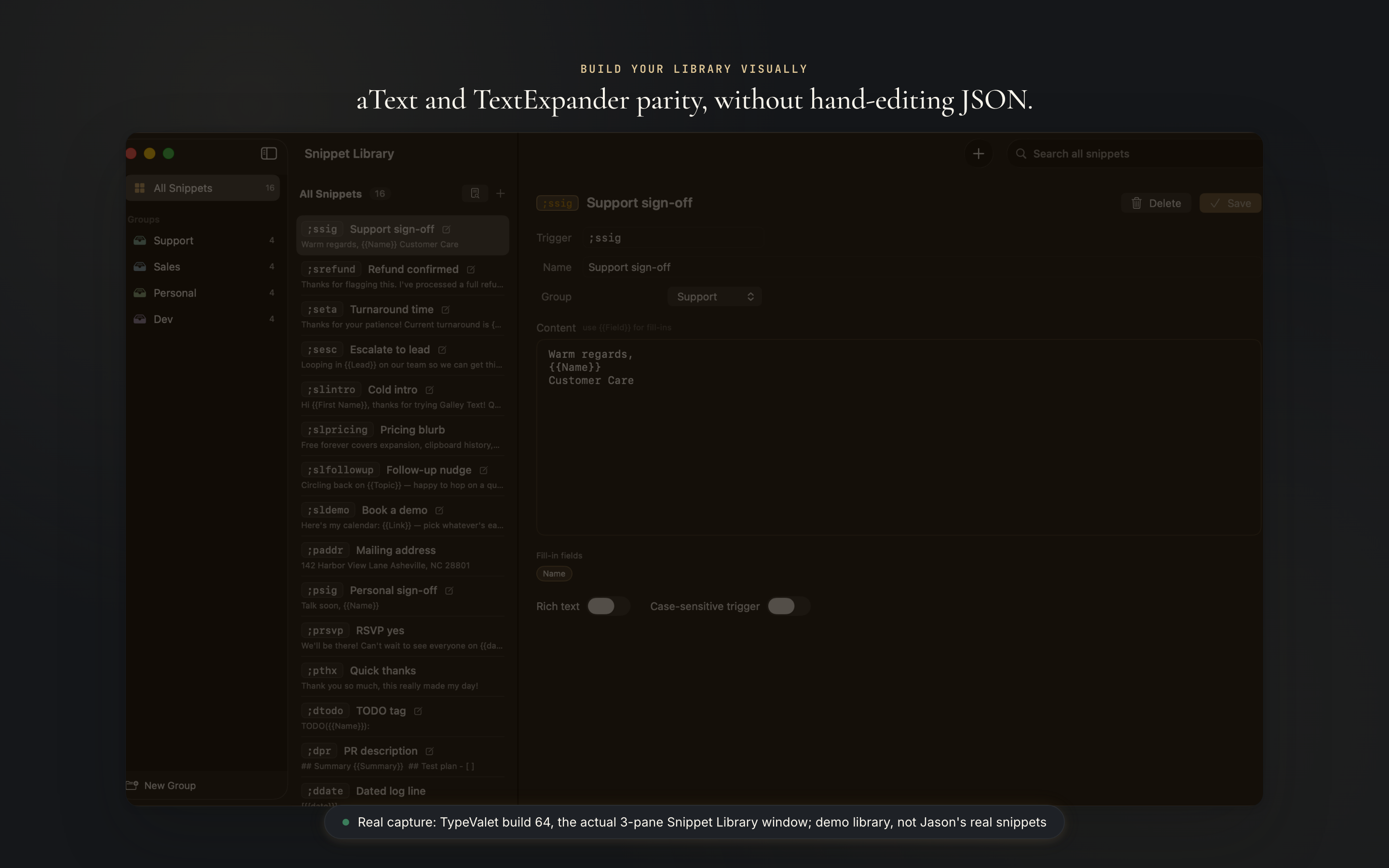
{{date}}, {{clipboard}}, {{cursor}}, nested snippets, and regex triggers, auto-detected as you write a snippet and filled in as you type it.
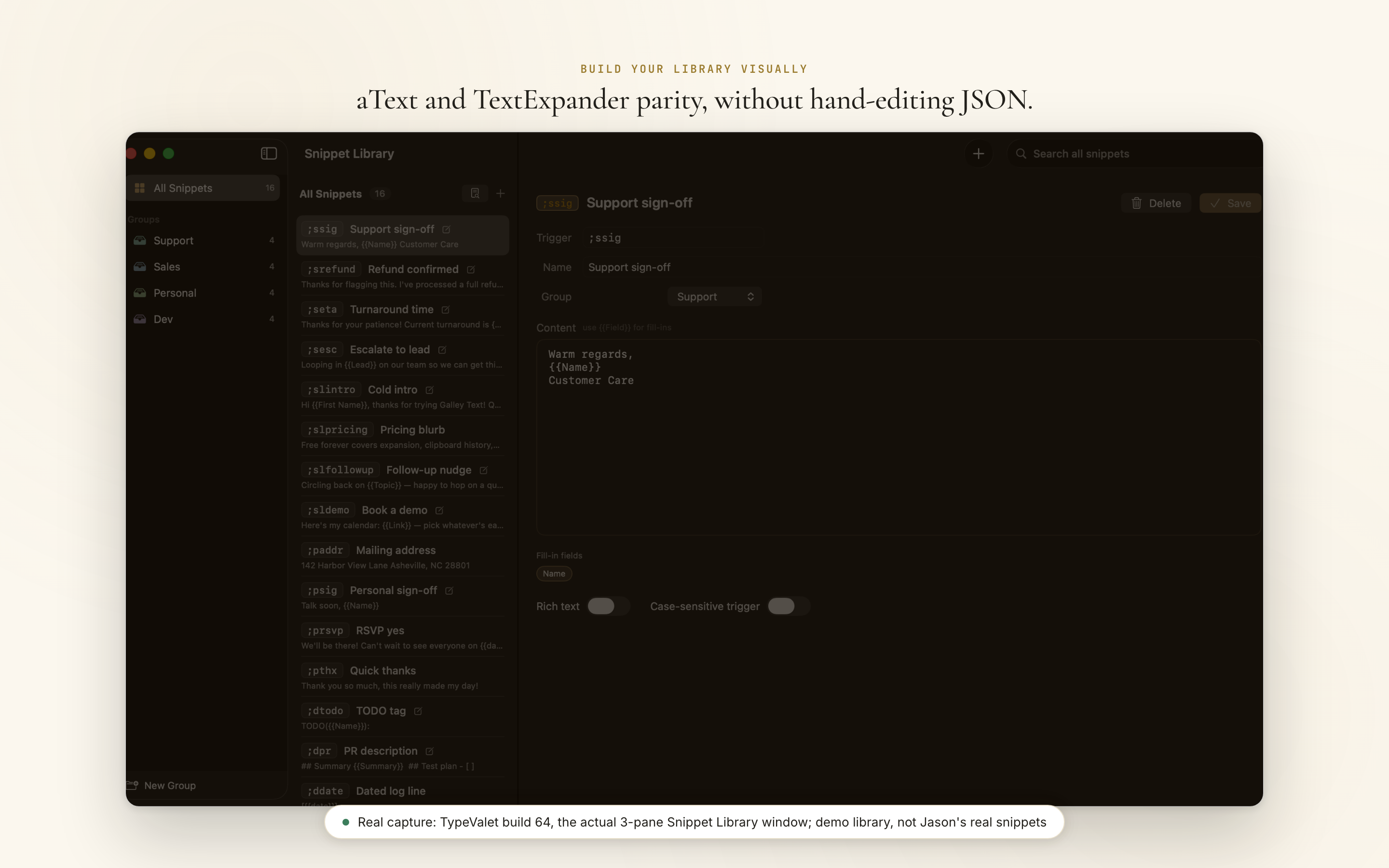
Live now (build 12 through 16). The screen above is the real three-pane Snippet Library editor, not a mockup.
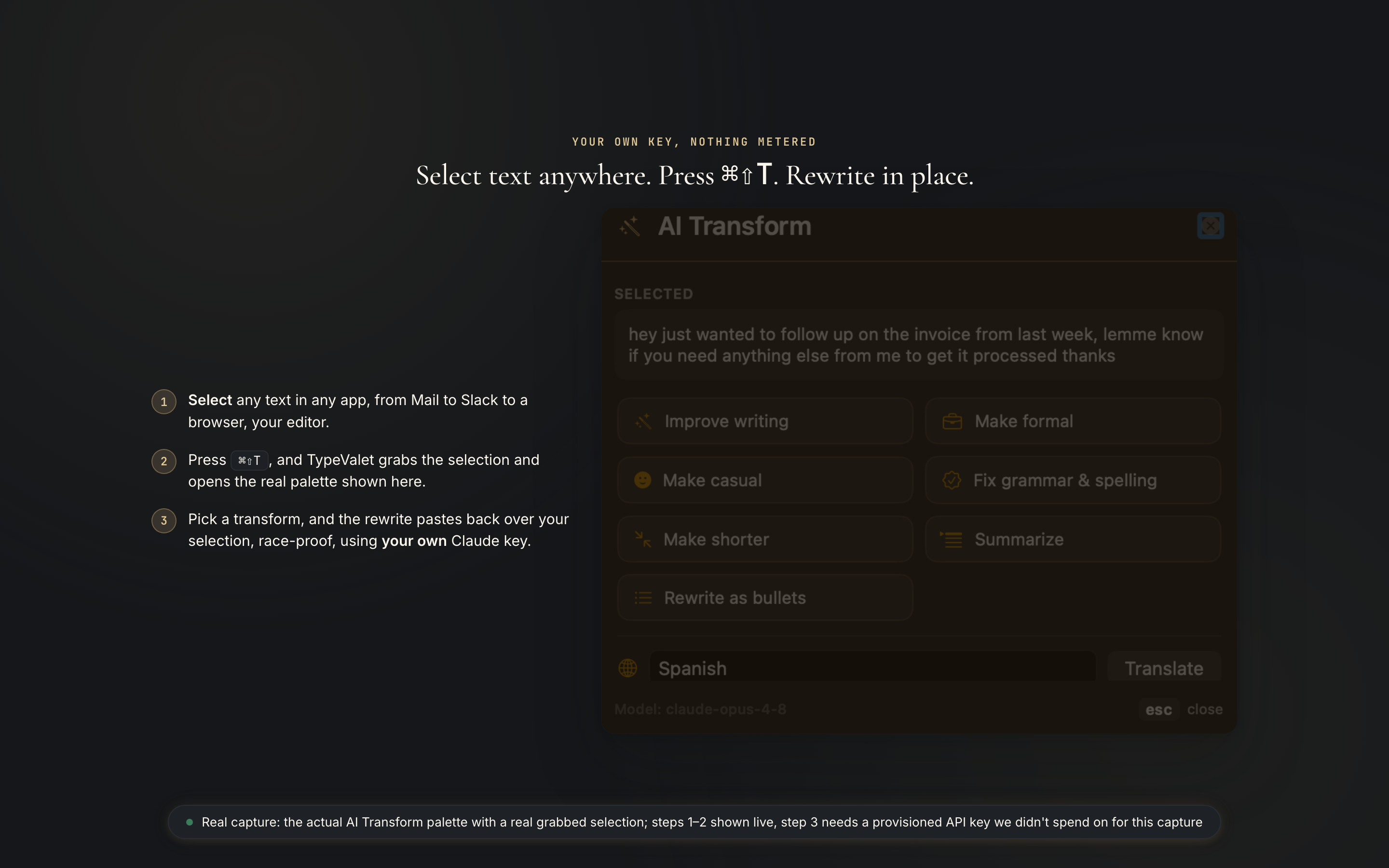
Select any text, press ⌘⇧T, and improve, translate, or rewrite it with the AI you already pay for: Claude, GPT, Gemini, Perplexity, Grok, Mistral, DeepSeek, OpenRouter, or a local model through Ollama or LM Studio. Your key stays in your Mac's Keychain. Nothing is metered or routed through us. The shortcut is yours to remap.
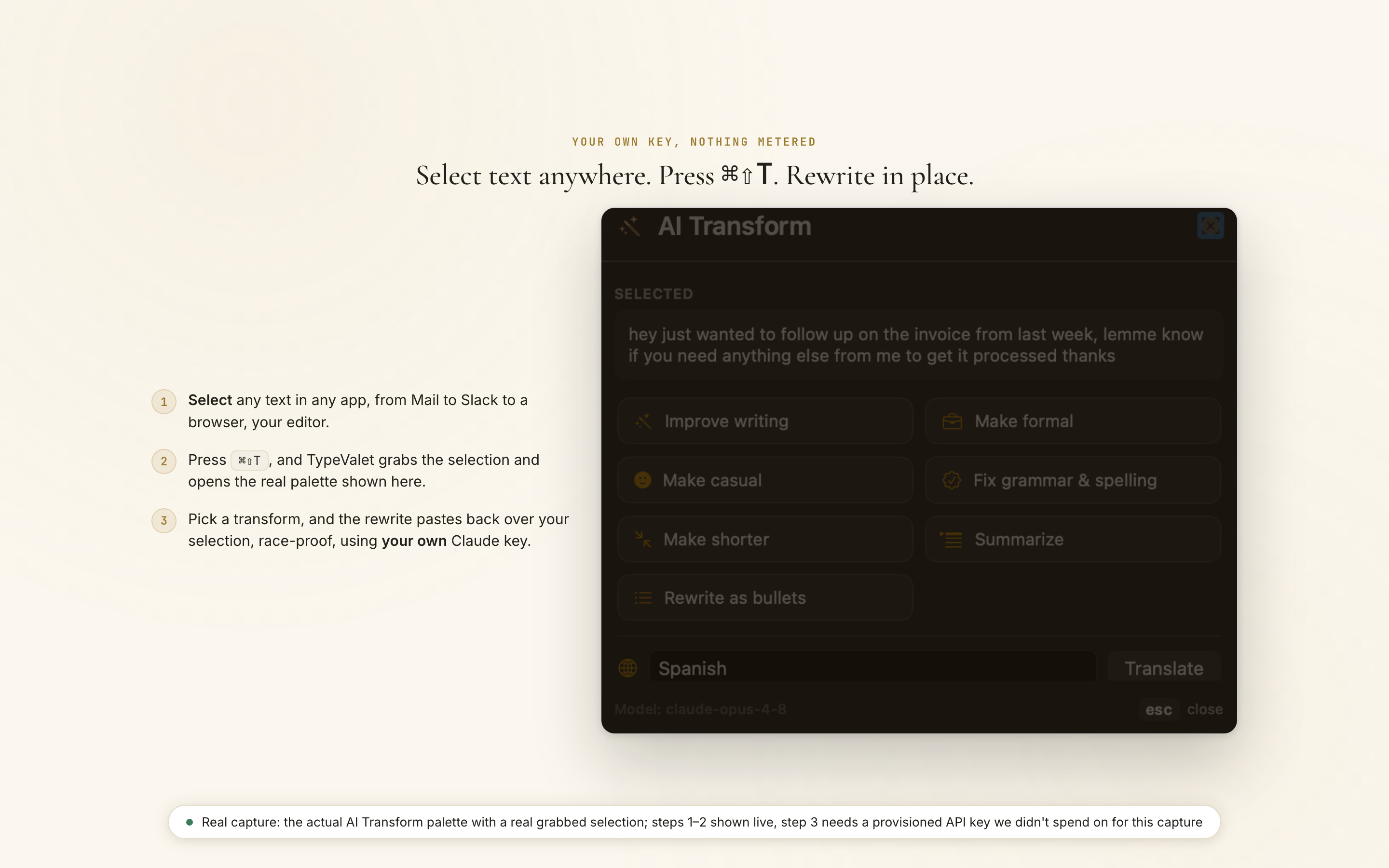
Live now (build 13 through 14, nine transform types, off by default). The screen above is a real ⌘⇧T grab against a real selection; the rewrite-pasted-back half needed a provisioned API key we did not spend on for this capture.
Claude Desktop searches your whole library and pulls the exact line by description, not by a shortcut you have to remember.
Concept mockup: composited from real tool output
The Model Context Protocol (MCP) server, its two tools, and the stdio-only transport are live and shipped today. A live cross-app capture is not one clean screenshot, so this frame composites a real Claude Desktop chat with the server's real tool names.
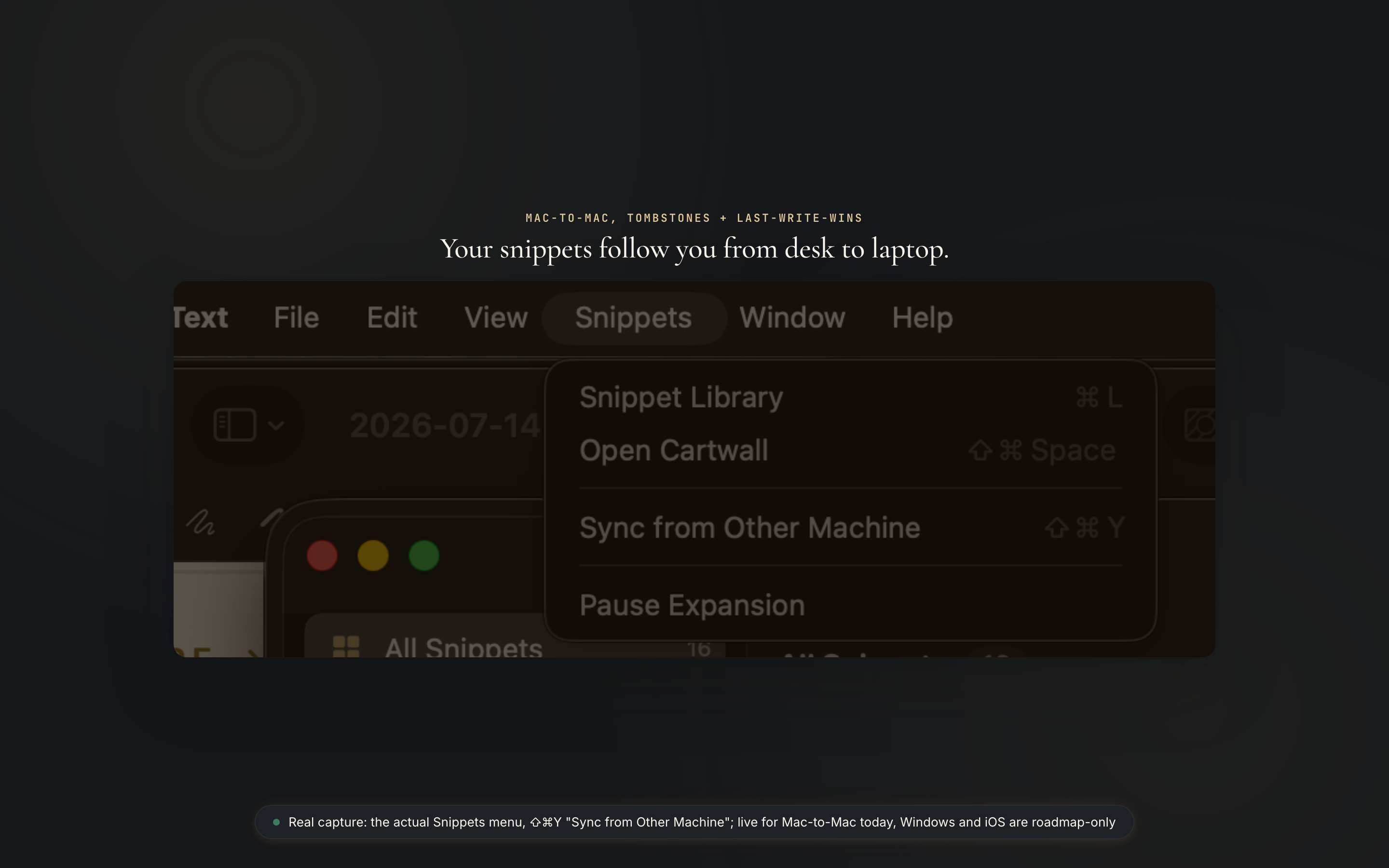
Your snippets follow you from desk to laptop. Deletes and edits merge automatically, so nothing silently reappears or vanishes.
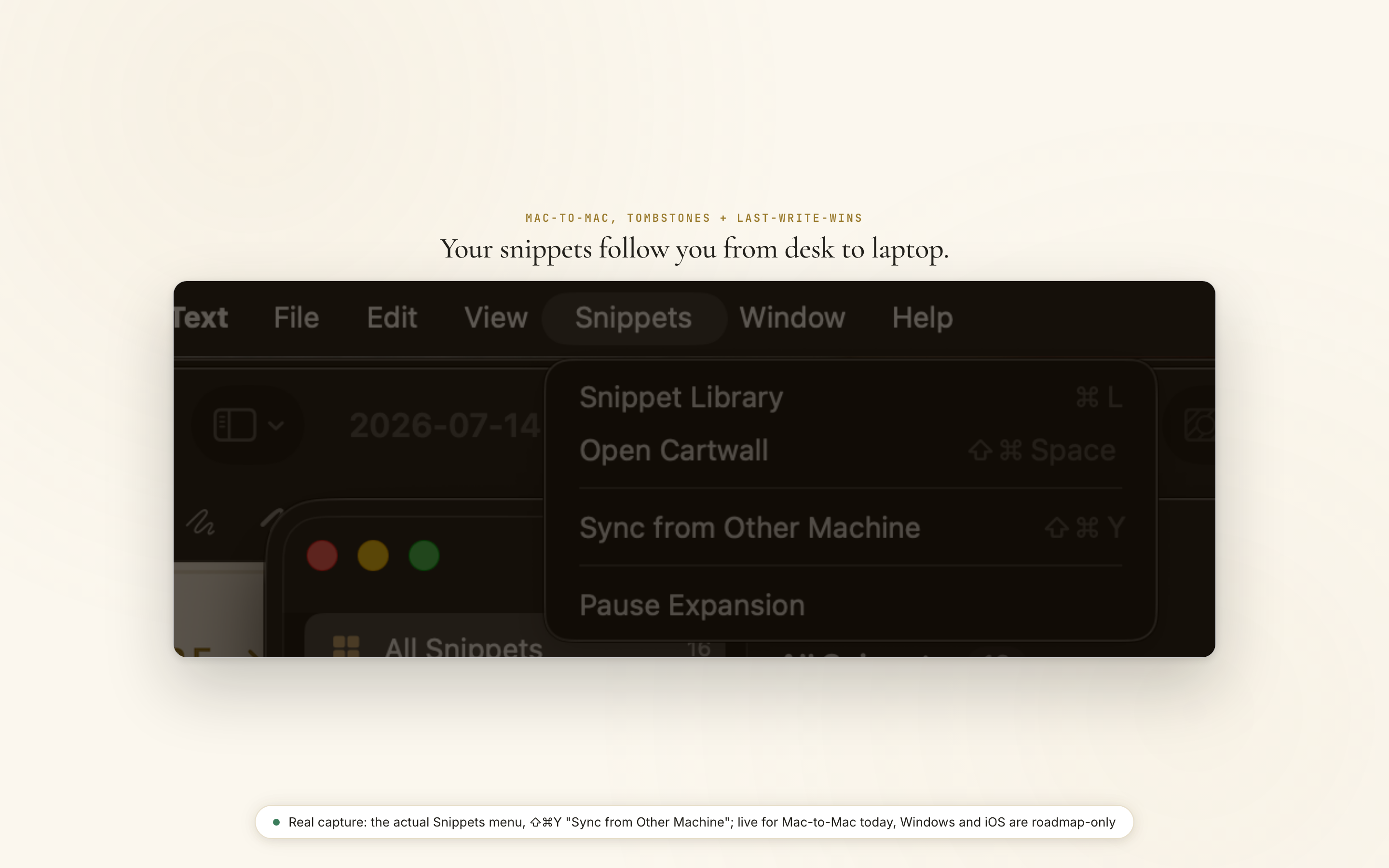
Live now for Mac-to-Mac (build 63: tombstones plus last-write-wins merge), opt-in and off until you sign in. The iPhone companion is on TestFlight in an internal group; Windows is long-term roadmap.
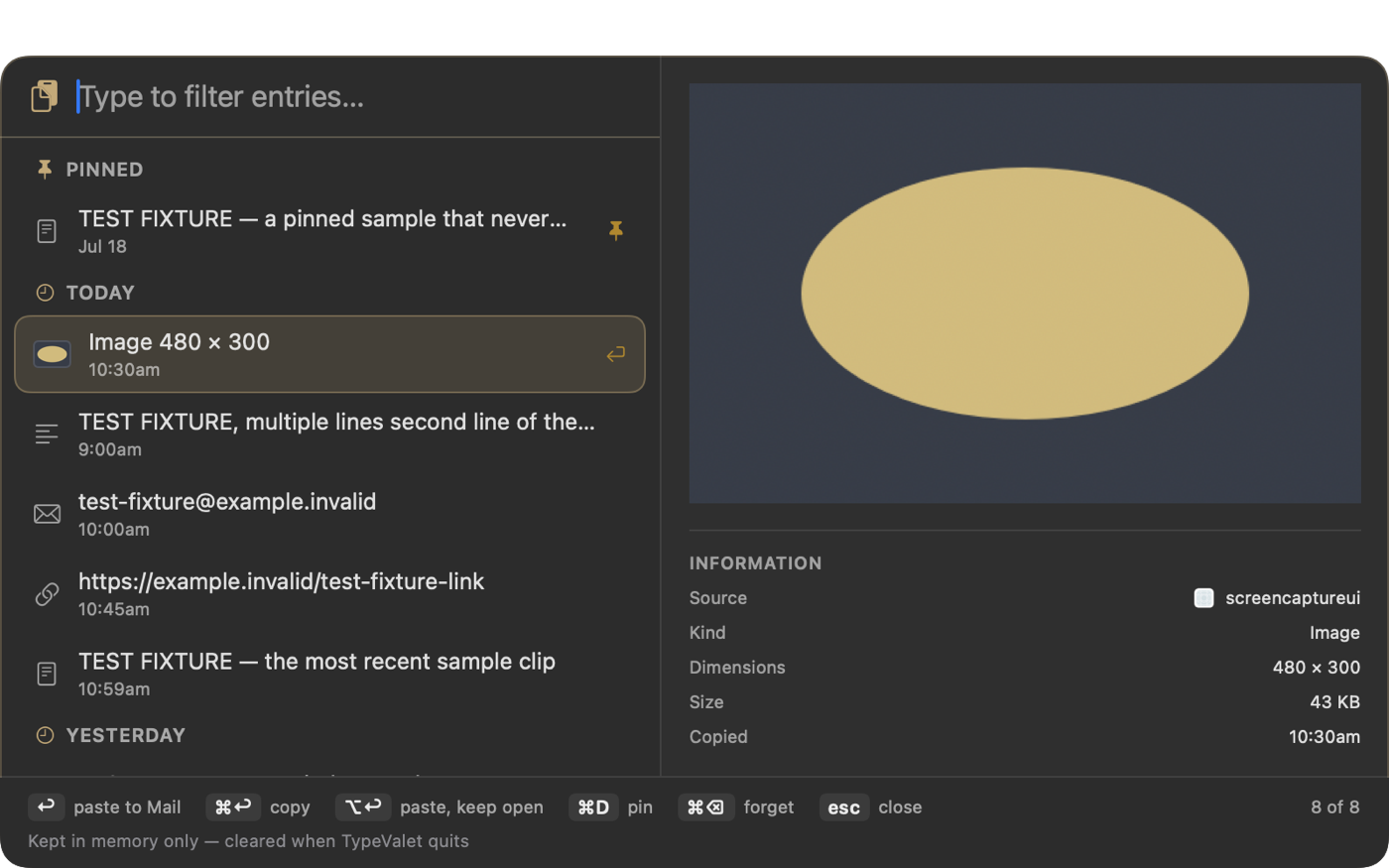
Press ⌘⇧V and your last 500 copies are there, searchable, grouped by when you copied them, with the app each one came from. Pin the ones you keep reaching for. Copy a screenshot and it is there too, as a picture rather than a line of text describing one.
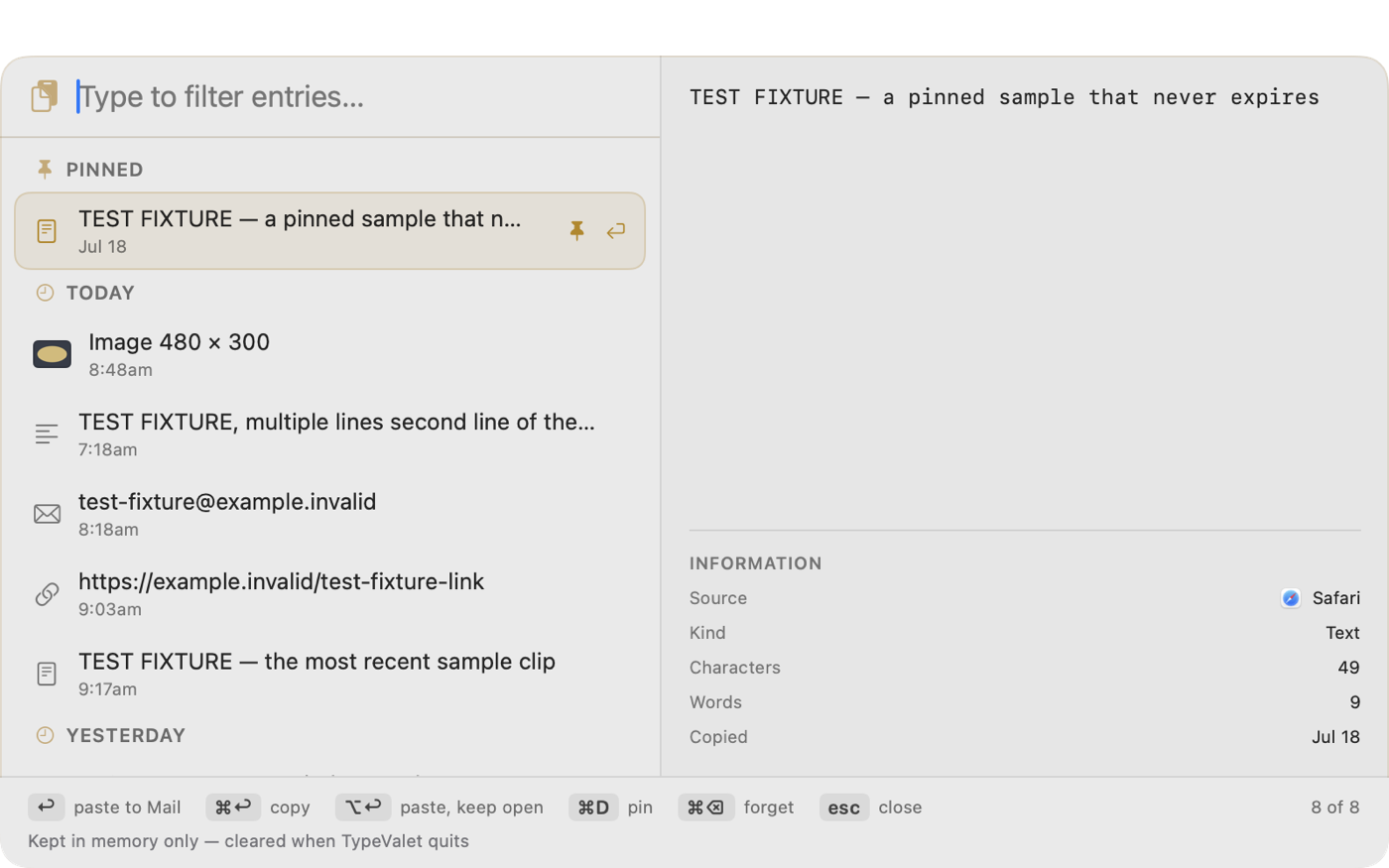
Live now (0.9.7 through 0.9.11). The screen above is a real capture of the palette, with sample clips rather than anyone's real clipboard. Held in memory only: it is never written to disk and it clears when TypeValet quits, which the palette says in its own footer.
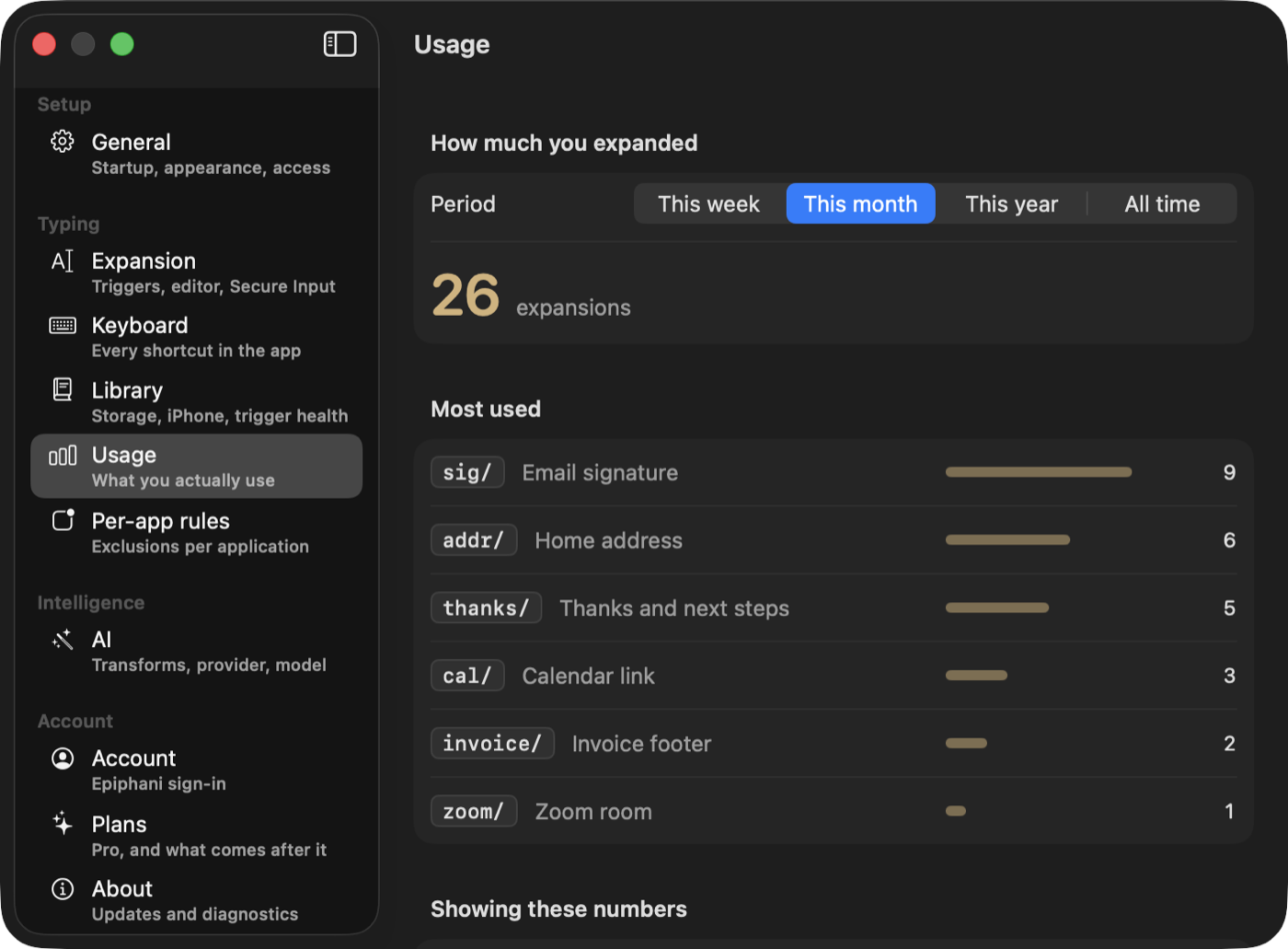
Settings shows what you really reached for this week, this month, this year, and all time. Most people find two or three snippets carrying almost all the work, and a dozen they wrote once and forgot. It is a good way to know what to write next.
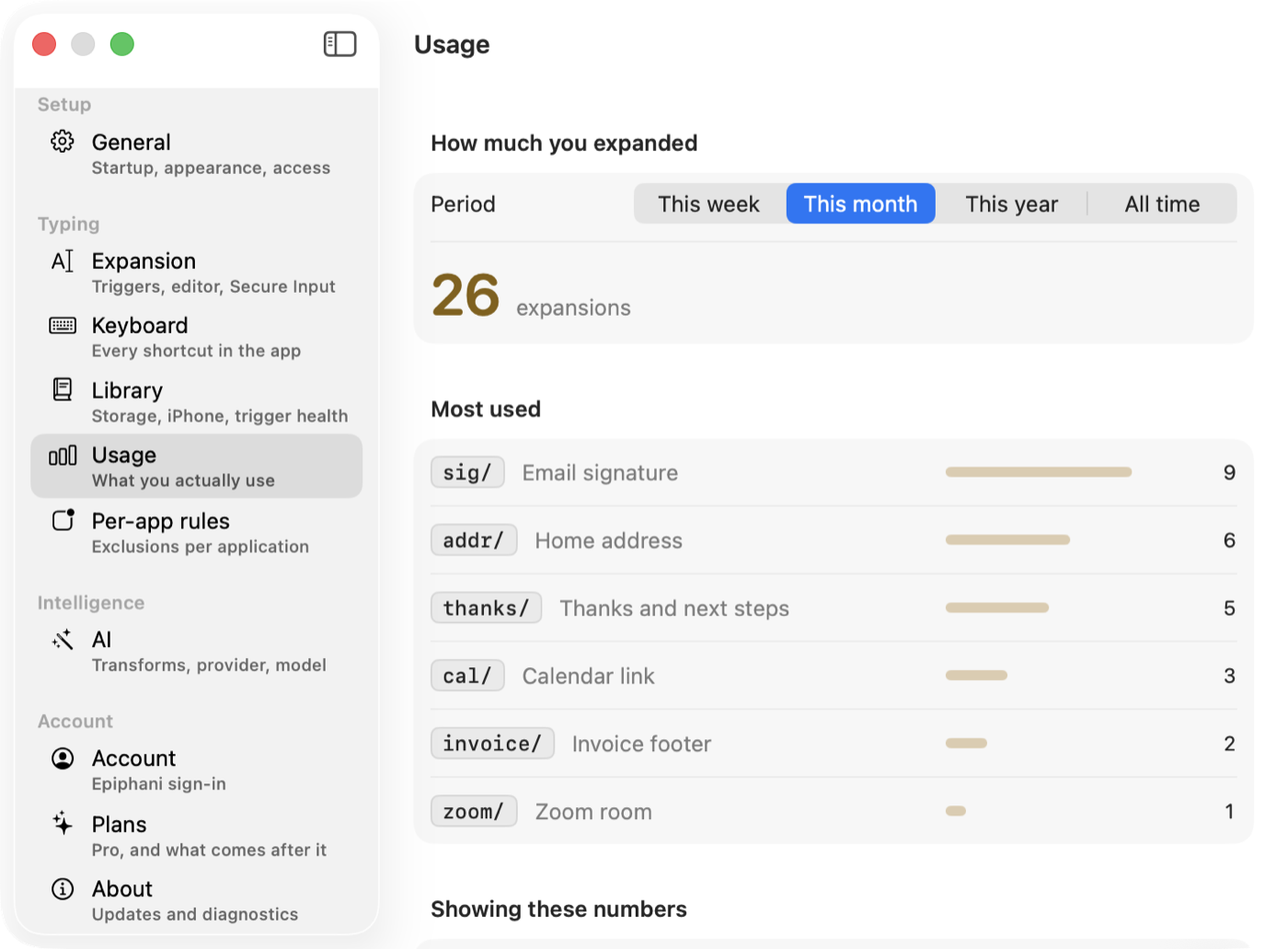
Live now (0.9.8). A real capture, with sample data rather than anyone's real library. The counts stay on your Mac: nothing is sent anywhere, and the app carries no analytics of its own.
One person curates the library; the whole support queue inherits it, with no enterprise approval workflow to sit through.
A screenshot or a pasted image becomes searchable text, with a quick transform menu firing the moment you paste.
Concept mockup: planned for Pro
Both are shown in Settings only as Pro wayfinding.
Snippet search, dynamic fields, AI transforms, and Mac-to-Mac sync run on the real build shown above, not staged for this page. The Ask Claude flow is live and shipped even though its screen is a composite. Team libraries and capture anything are unbuilt: Pro wayfinding only, for now.
The galley is the typesetter's tray of composed, ready-to-press text. TypeValet keeps yours the same way: organized, searchable, and one keystroke from the page.
Preview mockups of the interface, shown with example data. Real screens replace these in the next site update.
Expanders, clipboard managers, and AI snippet tools each do part of the job. TypeValet is the one that combines them and engineers the reliability underneath. The rows in bold are things no competitor combines.
| Capability that matters | TypeValet | TextExpander | aText | Typinator | Espanso | Raycast |
|---|---|---|---|---|---|---|
| Race-proof clipboard restore (verified, not guessed) | Only one | ✗ | ✗ | not verified | not verified | n/a |
| Names the app that silently blocks typing | Only one | ✗ | ✗ | ✗ | ✗ | ✗ |
| Clipboard manager built in (history, pin, palette) | ✓ | ✗ | basic | ✗ | ✗ | ✓✓ |
| Fill-in / interactive fields | ✓ | ✓ | ✓ | ✓ | ✓ | partial |
| AI transforms driven by your fill-in fields | Only one | suggest | ✗ | ✗ | ✗ | separate |
| Local-first by default; sync is opt-in, never required | ✓ | cloud | manual | local | manual | ✗ |
| One-time price, no subscription | ✓ | ✗ sub | ✓ | ✓ | free | freemium |
| One-click import from aText + TextExpander | ✓ | n/a | — | partial | partial | ✗ |
| Shared team libraries and admin (they win) | ✗ | ✓ full | ✗ | ✗ | manual | ✗ |
| Runs on Windows or Linux (they win) | ✗ macOS only | ✓ | ✗ | ✗ | ✓ both | ✗ |
| Syncs between your own machines | ✓ opt-in | ✓ | manual | manual | manual | via Raycast account |
| Design and brand craft | ✓ | standard macOS chrome | dated UI | ✓ | CLI, no GUI | ✓✓ |
Rows marked (they win) are ones TypeValet loses outright, and they are here because a comparison that never loses is one nobody should believe. Only one = a capability no other tool here combines · ✓✓ two strengths combined · ✓ full · partial · ✗ absent. Competitor facts from published pricing and docs, mid-2026.
Nobody buys a text expander because typing is hard. They buy one because the same paragraph keeps having to be produced from memory, correctly, while somebody waits.
The scheduling line, the "here is what I need from you" list, the polite decline. Each one is 30 seconds and a small tax on attention, and you pay it before you have started the actual work.
Details you should not be holding in your head and should not be hunting through a note for. One shortcut, and it is exactly right every time, including the punctuation nobody proofreads.
You copied the link. Then you copied something else. The first one is gone, and you go back to find it again. A clipboard history that keeps your last 500 copies turns that from a five-minute detour into a keystroke.
Most of the paragraph is always the same and three parts never are. Fill-in fields ask you for the three, at the moment you expand, so you are not editing around your own boilerplate.
A library you have built over years is only useful if you can find things in it. Ask Claude for the one about renewal terms and it pulls the snippet by description, not by a code you half recall.
Years of aText or TextExpander snippets do not have to be retyped. Import the library and keep going, which is the difference between trying a tool and actually switching to one.
A text expander sits between your keyboard and everything you write: passwords you paste, client names, medical details, the message you have not sent yet. The only honest architecture for that is one where the data stays on your Mac unless you choose otherwise.
Snippets and clipboard history are local-first, and everything works with no account and nothing to sign in to. Signing in is one deliberate choice, and all it does is sync your snippet library between your own Macs; your clipboard history stays on the machine that captured it either way.
Nothing leaves your Mac until you sign in and turn on Mac-to-Mac sync, which is a deliberate order rather than an oversight: sync means a copy somewhere else, and that is not a trade to make on your behalf for the contents of a clipboard. Leave it off and there is no account, no server, and no copy. Turn it on and your snippet library, and only that, travels to your own account.
The transforms use an AI provider and key you configure. Nothing routes through a vendor account, so there is no shared pipe your text passes through and no plan of ours that has ever seen it.
One honest footnote: this marketing page uses privacy-first analytics, and only after you press Accept on the banner. The app you install carries none of that. Choosing "Essential only" means nothing is ever sent.
Claude Desktop searches your library through a server running on your own machine. Your snippets are readable by the assistant you chose, on the computer they already live on.
The capabilities page states a limit wherever one exists. These are the ones most likely to matter before you spend an afternoon setting up a library.
It needs macOS 15 or later, on Apple silicon, and will not launch on macOS 14 or older. There is no Windows version at all. An iPhone companion exists and has builds on TestFlight, but that group is internal, so you cannot get it today and the Mac app is the product. If you type on a PC for most of the day, this is not the tool, and no roadmap language should suggest otherwise.
There is no shared snippet infrastructure and no admin console shipping today. A team that needs one library across 10 people is not served by TypeValet right now; team libraries are on the roadmap, not a permanent no.
Snippets sync between your Macs once you switch it on. Clipboard history does not, on any setting: it is the most sensitive thing this app holds, and it stays on the machine that captured it. It also lives in memory only and clears when TypeValet quits, so nothing you copied is ever written to disk. A password you copied on the laptop is not on the desktop, and there is no switch that changes that.
The transforms need a key and a provider you supply. There is no included allowance, which keeps your text out of any account of ours but does mean the AI features are not zero-setup.
TypeValet ships a local MCP server so Claude Desktop can search your library and pull the exact snippet you mean, by description, not by remembering a shortcut.
Zero-dependency local stdio server. It reads one file on your Mac and never opens a network socket, on purpose, since some snippets carry personally identifiable information (PII).
“Find my out-of-office snippet and give me the full text.”
search_snippets() finds it, get_snippet() returns the full text, ready to paste.
Everything you need every day is free forever. Pro adds the studio layer, once, for keeps.
Pro checkout is not open yet. Leave your email and you will hear the day it does.
$39 through August 31, 2026. The regular price is $69.
Bought Pro through an earlier release? Activate in the app: Settings → Pro.
About one year of TextExpander Individual ($39.96/yr), and yours to keep every year after.
A signed, notarized Mac app you install directly, the way a tool with this much access should be. Every update after the first installs automatically in the background.
Download the notarized disk image and drag TypeValet to Applications. Developer ID signed; macOS 15 and later, Apple silicon.
TypeValet walks you straight to the Accessibility toggle it needs to type for you, then verifies it, no hunting through settings.
New versions install themselves over TypeValet's own secure update feed. You never re-download a thing.
Free forever, no account required. See what Pro adds →
The short answers, pulled straight from what is on this page.
TypeValet is a Mac text expander, a clipboard manager, and AI text transforms combined in one Mac app. It types your snippets in every app on your Mac, from Mail to Slack to browsers, editors, and terminals.
The core app is free forever: race-proof text expansion, the Secure Input sentinel, fill-in fields, the clipboard manager and snippet search, and aText plus TextExpander import. Pro is a one-time purchase of $69, currently $39 through August 31, 2026. There is no subscription; Pro is yours to keep, and every update to this version of TypeValet is included.
Yes. TypeValet stores your snippet libraries local-first on your own Mac. Your snippets leave it only if you sign in with your Epiphani account and turn on library sync, and then they travel over HTTPS to your own account and nowhere else, keeping every Mac you sign in to current. Any device can be signed out remotely. The iPhone app sends anonymous usage counts showing which features are opened and where a flow is abandoned, so the app improves where people get stuck. It sends only a fixed list of feature names, never your snippets, your searches, or your email, and one switch in Settings turns it off. AI transforms use your own key for any of 12 providers, or a local model, so nothing is metered. The Claude MCP server is a zero-dependency local stdio server: it reads one file on your Mac and never opens a network socket, because some snippets carry personal information.
Yes. TypeValet imports your existing aText or TextExpander library in one click, so you can start typing right away without rebuilding your snippets from scratch.
Most Mac expanders put your text on the clipboard, press paste, then guess what to restore, and on a busy Mac another app can write to the clipboard in that split second so your copied text vanishes. TypeValet records the clipboard's exact state and restores it only when nothing else has touched it, and it keeps a clipboard history (500 items, in memory only) so a busy Mac cannot make your copy vanish either way.
Yes. TypeValet ships a local MCP server so Claude Desktop can search your snippet library and pull the exact one you mean by description, using search_snippets and get_snippet, instead of you needing to remember a shortcut.
Almost any of them. TypeValet supports two protocols: Anthropic's, and the OpenAI-compatible protocol also used by OpenAI, Gemini, Perplexity, OpenRouter, Groq, Mistral, DeepSeek, and xAI. Pick from 12 built-in providers, use any OpenAI-compatible server you run, or go fully local with Ollama or LM Studio, no key needed. TypeValet probes your provider and picks its newest flagship model, and you can pin an exact model id.
TypeValet needs macOS 15 or later, on Apple silicon. It ships as a Developer ID signed, notarized disk image, and after the first install, new versions install themselves automatically over TypeValet's own update feed.
One Mac app for the text you type all day, built on the only verified-restore engine among the five expanders compared above, with your words kept on your own machine.
Download for Mac
typevalet.com
See why the reliability underneath is the whole point.
Read the bottom line